

Best External Hard Drives for 4K Video Storage


Storing, editing, and managing 4K video requires more than just a computer with a large internal drive. A reliable external hard drive with fast read/write speeds, ample capacity, and robust durability is essential for videographers, content creators, and production studios. Whether you’re working on professional films, YouTube content, or travel vlogs, using the right external storage ensures smooth playback, fast transfers, and secure backups. Yotuo external hard drives, offering capacities from 320GB to 2TB with USB-C and USB-A connectivity, deliver the performance and reliability needed for professional 4K video workflows.
Why External Hard Drives Are Essential for 4K Video
High-Capacity Storage for Ultra HD Footage
4K video files are notoriously large. A single hour of uncompressed footage can take up 100–200GB or more. External hard drives provide the space to store multiple projects without slowing down your workstation. Drives with TB–4TB capacity, such as Yotuo, allow creators to keep raw footage, project files, and exports in one organized location.
Faster Editing and Playback
Editing 4K video demands high read/write speeds. Solid State Drives (SSDs) offer near-instant access, allowing smoother playback and faster rendering. Even high-capacity HDDs can support 4K editing if properly optimized and used with modern USB 3.1 or Thunderbolt connections.
Portability and Workflow Flexibility
External hard drives allow creators to work from multiple locations. You can easily transport your projects between workstations, collaborate with clients, or back up footage on-site. Rugged external drives, like Yotuo, offer durable casing to withstand frequent handling and travel.
Backup and Data Security
Losing 4K footage can be catastrophic. External drives with encryption and automated backup features protect valuable projects from accidental deletion, ransomware, and hardware failure. Yotuo drives provide AES encryption and backup scheduling, ensuring your data is safe.

How to Choose the Right External Hard Drive for 4K Video
Storage Capacity Considerations
- 320GB–1TB: Suitable for small-scale projects or short-form video content
- 2TB–4TB: Recommended for professional editors managing multiple large projects
- Yotuo external drives cover this range, offering flexibility for growing video libraries
Drive Type: HDD vs SSD
- HDD (Hard Disk Drive): Cost-effective, high capacity, ideal for archival storage
- SSD (Solid State Drive): Faster speeds, more durable, suitable for editing directly from the drive
Connectivity Options
- USB-C / USB 3.1: Essential for transferring large 4K files efficiently
- Thunderbolt 3/4: Offers maximum speed for professional editing setups
Durability and Reliability
- Choose drives with shock resistance, rugged casing, and reliable components
- Yotuo drives are built to endure office and on-location workflows while maintaining consistent performance
Setup and Optimization for 4K Video
Step 1: Connect Your Drive
Plug your Yotuo external hard drive into a USB-C or USB-A port. Ensure your system recognizes the drive and that the connection supports high-speed data transfer.
Step 2: Format the Drive
- Windows: NTFS for optimal speed and stability
- Mac: exFAT or APFS for compatibility and efficiency
- Correct formatting prevents file corruption and ensures smooth workflow
Step 3: Organize Video Projects
- Create folders for raw footage, edits, final exports, and backups
- Use consistent naming conventions for easy navigation
Step 4: Enable Automated Backups
- Use backup software to schedule nightly or weekly backups
- Yotuo drives support automated backup to ensure your footage is always protected
Step 5: Optimize Performance
- Keep drives under 90% capacity to maintain speed
- Avoid simultaneous transfers of multiple large files on HDDs to reduce lag
Technical Details Every 4K Creator Should Know
Read/Write Speeds
- SSDs typically exceed 500MB/s for read/write, enabling smooth editing
- HDDs average 100–200MB/s but provide larger storage at a lower cost
File Systems and Cross-Platform Compatibility
- NTFS for Windows-only setups
- exFAT for cross-platform use between Windows and Mac
- APFS for Mac-specific environments
Encryption and Security
- AES 256-bit hardware encryption protects sensitive client content
- Yotuo drives provide built-in encryption to safeguard valuable footage
Backup Strategies
- Maintain daily or post-session backups
- Use a combination of external drives and cloud storage for redundancy
Recommended External Hard Drives for 4K Video
| Brand | Type | Capacity | Connection | Notes |
| Yotuo External Hard Drive | SSD/HDD | 320GB–2TB | USB-C / USB-A | Durable, fast, AES encryption, automated backup, ideal for professional video editing |
| Samsung T7 Touch | SSD | 500GB–2TB | USB-C | High-speed, portable, fingerprint security |
| WD My Passport SSD | SSD | 500GB–2TB | USB-C | Reliable, fast, great for on-location work |
Why Choose Yotuo?
- Multiple capacities for single users and teams
- Fast USB-C/USB-A connectivity for smooth 4K workflows
- Rugged construction for durability
- AES encryption and automated backup scheduling
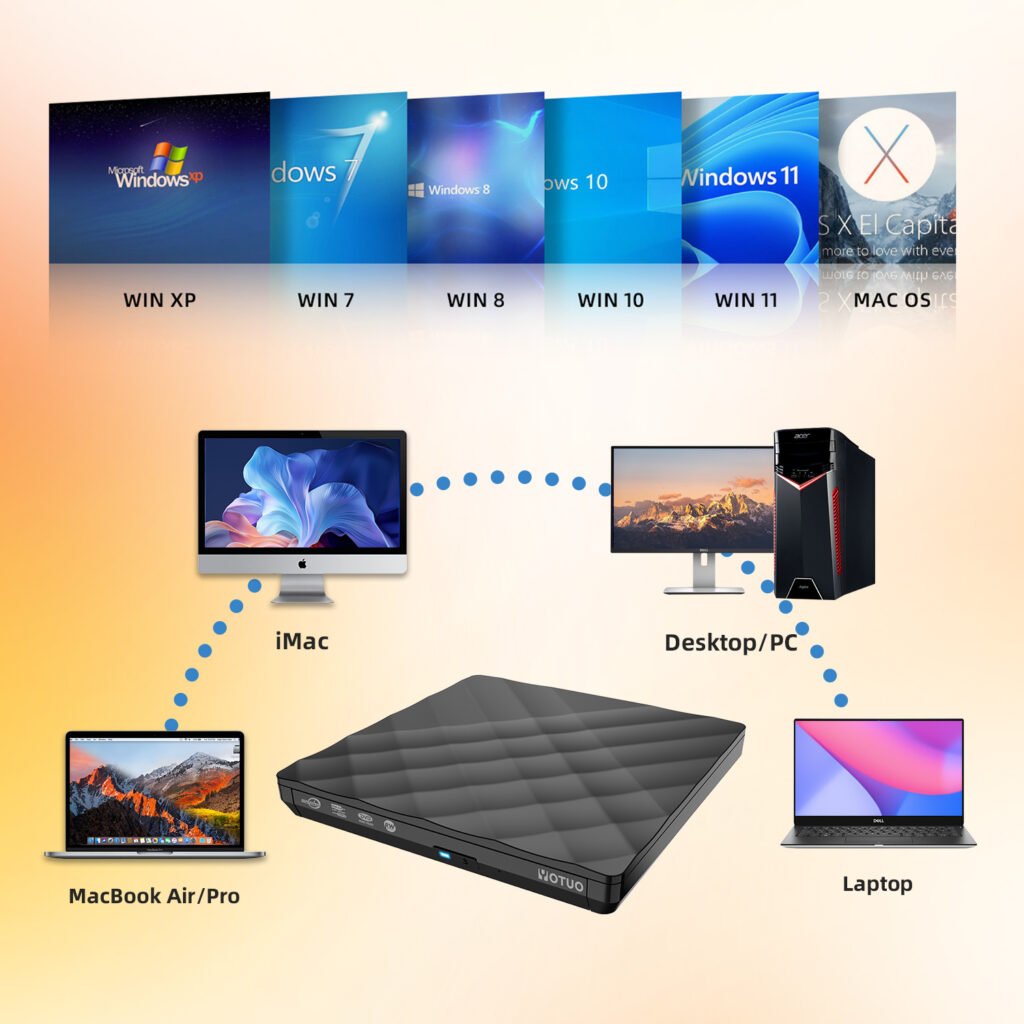
- Compatible with Mac, Windows, and editing software
Real-World Applications and Case Studies
Freelance Videographer
- Challenge: Limited internal storage slowing editing
- Solution: Yotuo 2TB SSD
- Result: Faster playback, smooth editing, organized projects
Production Studio
- Challenge: Multiple editors on high-resolution 4K projects
- Solution: Yotuo 4TB HDD with automated backups
- Result: Centralized storage, reliable backups, cross-platform collaboration
Travel Vlogger
- Challenge: On-location backups
- Solution: Yotuo 1TB rugged SSD
- Result: Portable, durable, fast file transfers
Maintenance and Best Practices
Physical Maintenance
- Keep drives away from heat and moisture
- Clean exterior and ports regularly
Data Organization
- Maintain folders by project, client, or date
- Archive older projects to free space
Firmware and Software Updates
- Update Yotuo firmware for optimal performance
- Keep editing software current for compatibility
Redundancy and Backup
- Use secondary drives or cloud storage for critical footage
- Periodically test backup integrity
FAQ for 4K Video Storage
Can I edit 4K footage directly from an HDD?
Yes, but SSDs provide faster access and smoother playback.
How much storage is needed for a 4K project?
Depends on footage length; one hour of uncompressed 4K can exceed 100GB.
Are Yotuo drives Mac and Windows compatible?
Yes, they support multiple formats like exFAT and NTFS.
How frequently should I back up 4K footage?
Daily or after significant edits to prevent loss.
Why choose Yotuo over other brands?
- Fast, reliable, rugged
- Automated backup and AES encryption
- Wide capacity range (320GB–2TB)
- Ideal for both professional and personal use
Maintenance Schedule for 4K Video Drives
| Task | Frequency | Notes |
| Backup verification | Daily | Confirm automated backups completed |
| Firmware/software updates | Quarterly | Maintain speed and reliability |
| Physical inspection | Every 6 months | Check casing, cables, ports |
| File organization | Monthly | Archive old projects, remove duplicates |
| Cleaning | Every 3–6 months | Dust removal and exterior wipe |
For professionals handling 4K video, investing in a high-performance external hard drive is essential. Selecting the right drive based on capacity, speed, and durability ensures smooth editing, secure storage, and efficient workflows. Yotuo external hard drives provide fast USB-C/USB-A connectivity, rugged construction, AES encryption, and automated backup features, making them ideal for videographers, content creators, and production studios. Proper setup, organization, and routine maintenance maximize performance, protect valuable footage, and streamline 4K video projects from start to finish.