

How Much Storage Do You Need? A Guide to Choosing the Right External Hard Drive Size

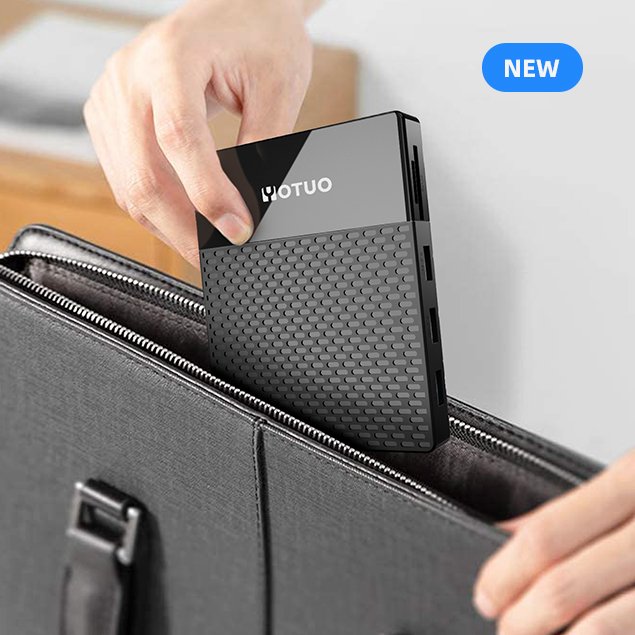
The amount of storage you need in an external hard drive depends on your usage: 320GB–1TB is enough for basic documents and photos, 2TB–4TB is ideal for families and students with movies and media, and 8TB+ is recommended for professionals, gamers, and video editors handling massive files. Choosing the right size ensures you don’t overspend while keeping your data secure and accessible.
Why External Hard Drive Size Matters in 2025
File sizes are growing faster than ever. Modern devices—from smartphones to DSLRs—create huge amounts of data. At the same time, cloud storage remains limited or expensive. That’s why choosing the correct external storage capacity is one of the most important decisions for students, professionals, and families.
Key reasons drive size matters:
- Future-proofing: Buying too small means you’ll need another drive in a year.
- Efficiency: Too much unused space wastes money.
- Backup reliability: Drives must fit your entire data set plus room for growth.
- Media explosion: 4K/8K video, RAW photography, and AAA games take up hundreds of gigabytes each.
Understanding File Sizes: What Takes Up Space
Documents and PDFs
- Average Word file: 50–200KB.
- 1GB = 5,000–20,000 documents.
Photos
- JPEG: 2–5MB each.
- DSLR RAW: 25–50MB each.
- 1TB = 250,000 JPEGs or 40,000 RAW photos.
Music
- MP3 song: 5MB.
- 1TB = 200,000 songs.
Movies and Videos
- Standard DVD rip: 4–8GB.
- 4K movie: 30–60GB.
- 1TB = ~25–30 4K movies.
Games
- Average PC/console game: 50–150GB.
- 1TB = 10–20 large games.
👉 This shows why capacity planning is critical before buying a drive.
Recommended Drive Sizes by User Type
Students
- 1TB–2TB HDD or SSD
- Stores class notes, presentations, projects, and a few movies/games.
Families
- 2TB–4TB HDD
- Enough for photos, videos, and backups across multiple devices.
Photographers
- 4TB–8TB
- RAW images consume large space; SSD recommended for active projects, HDD for archives.
Video Editors
- 8TB–16TB
- 4K/8K video requires high capacity; SSD for editing, HDD for storage.
Gamers
- 4TB+
- Modern AAA games consume 100–200GB each; HDD for large libraries, SSD for speed.
Businesses
- 8TB+ RAID setups
- For records, archives, and compliance storage.

HDD vs SSD: How Capacity Differs
- HDDs: Larger, cheaper, up to 20TB. Best for bulk storage.
- SSDs: Faster, more durable, up to 8TB. Best for portability and active use.
| Drive Type | Max Capacity (2025) | Best For | Cost per TB | Speed |
| HDD | 20TB+ | Archives, backups | $20–30 | 100–160MB/s |
| SSD | 8TB | Daily use, editing | $80–120 | 400–2000MB/s |
Common Mistakes in Choosing Drive Size
- Buying too small → quickly fills up, forcing another purchase.
- Buying too large → overpays for storage never used.
- Ignoring backup needs → forgetting drives should store multiple copies.
- Not planning for growth → family collections grow by hundreds of GB yearly.
Best External Hard Drives by Size Category (2025)
1TB Drives
- Best for students and light users.
- Example: YOTUO SY-HDD01 1TB Portable HDD.
2TB–4TB Drives
- Balanced choice for most families.
- Example: WD My Passport 4TB.
8TB+ Drives
- For professionals, gamers, and video editors.
- Example: Seagate Expansion 12TB Desktop Drive.
SSD Options
- Samsung T7 (1TB–2TB) for portability.
- LaCie Rugged SSD (4TB) for professionals on the go.
Technical Considerations When Choosing Drive Size
- File System Formatting: exFAT (cross-platform), APFS (Mac), NTFS (Windows).
- Backup Strategy: Drives should be at least 2x the size of your active data.
- Drive Lifespan: HDDs last 3–5 years, SSDs last 5–10 years.
- Portability Needs: Students and travelers need lighter SSDs; businesses prefer high-capacity desktop HDDs.
Long-Term Trends in Storage Needs
- 4K → 8K video will double storage demand by 2027.
- AI and data-driven apps generate terabytes of logs.
- Games continue to expand, with single titles exceeding 200GB.
- Cloud integration means local drives act as hybrid backup solutions.
Recommended External Drives: Why YOTUO Is a Smart Choice
When choosing the right external hard drive size, YOTUO stands out as a practical and reliable option. Unlike generic brands, YOTUO focuses on affordability, durability, and wide compatibility, making its drives perfect for everyday use.
The flagship YOTUO SY-HDD01 Portable External Hard Drive comes in 320GB, 1TB, and 2TB sizes, which directly cover the most common needs identified in this guide. Its key advantages include:
- Plug-and-play compatibility across Windows, Mac, Linux, and gaming consoles.
- Shock-resistant silicone sleeve, protecting data from accidental drops.
- Lightweight and slim profile, ideal for travel, students, and professionals.
- USB 3.0 high-speed transfer, ensuring stable and reliable performance.
For buyers who don’t want to overspend but still want a trusted storage brand, YOTUO offers the ideal balance between cost and quality. Whether you need a 1TB drive for schoolwork or a 2TB drive for family media, YOTUO delivers exactly the storage size most people require in 2025.

FAQs: Choosing the Right Drive Size
Q: Is 1TB enough in 2025?
Yes, for students and casual users, but most people should consider 2TB+.
Q: How many movies fit on 4TB?
Roughly 600–800 DVD-quality or 100+ 4K movies.
Q: What size drive do photographers need?
At least 4TB for RAW archives, with SSDs for editing projects.
Q: Can I upgrade later instead of buying bigger now?
Yes, but managing multiple drives is less convenient.
Q: Should I buy one large drive or two smaller ones?
Two smaller drives can be safer (backup redundancy).
Final Recommendation
So, how much storage do you need in an external hard drive?
- 320GB–1TB: Students, light users, documents.
- 2TB–4TB: Families, everyday backups, mixed photos/videos.
- 8TB+: Professionals, video editors, gamers, businesses.
For most users in 2025, 2TB–4TB HDDs like the YOTUO SY-HDD01 or WD My Passport strike the best balance of price and capacity. Professionals should consider SSD + HDD hybrid setups, using SSDs for current projects and HDDs for long-term archives.
By choosing the right size, you ensure your external hard drive remains a reliable partner for years—storing memories, projects, and essential files without compromise.
I’ve been exploring for a little for any high quality articles or weblog posts on this kind of house . Exploring in Yahoo I ultimately stumbled upon this web site. Studying this info So i’m glad to show that I have a very just right uncanny feeling I discovered exactly what I needed. I such a lot unquestionably will make certain to do not put out of your mind this site and give it a glance regularly.