

Best External Hard Drives for Laptops in 2025

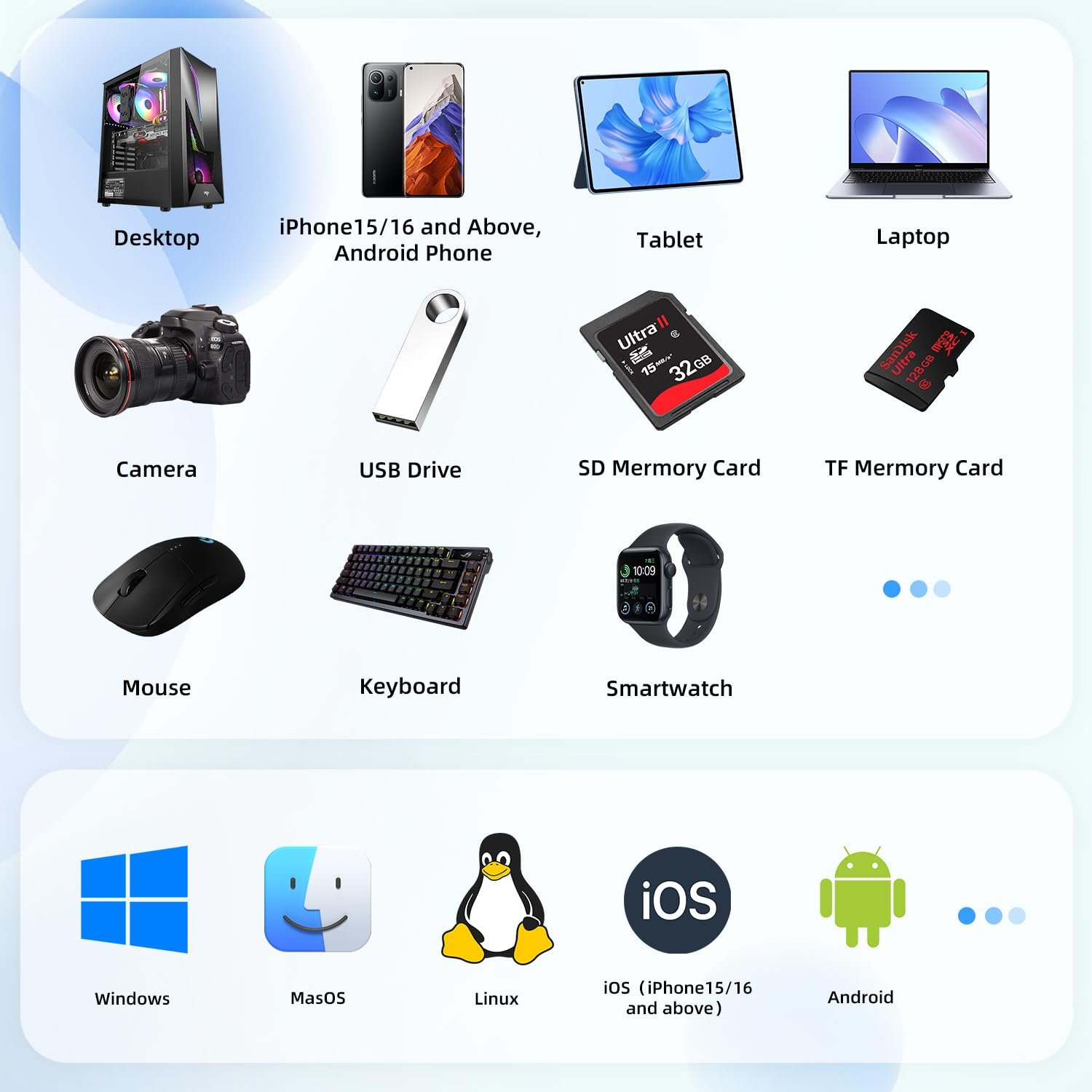
In 2025, laptops continue to be the centerpiece of productivity, creativity, and entertainment. Whether you are a student, a professional, or a content creator, storage has become more critical than ever. An external hard drive remains one of the most reliable solutions for expanding storage, backing up important files, and ensuring your laptop runs smoothly.
When choosing the best external hard drive for your laptop, you need to consider speed, capacity, durability, and compatibility. With evolving technology and higher storage demands, knowing which external drive suits your needs is crucial for productivity and peace of mind. This guide will explore top external hard drives for laptops, delve into technical specifications, provide comparisons, and give practical recommendations. We will also highlight Yotuo external hard drives, a brand known for quality, speed, and reliability.
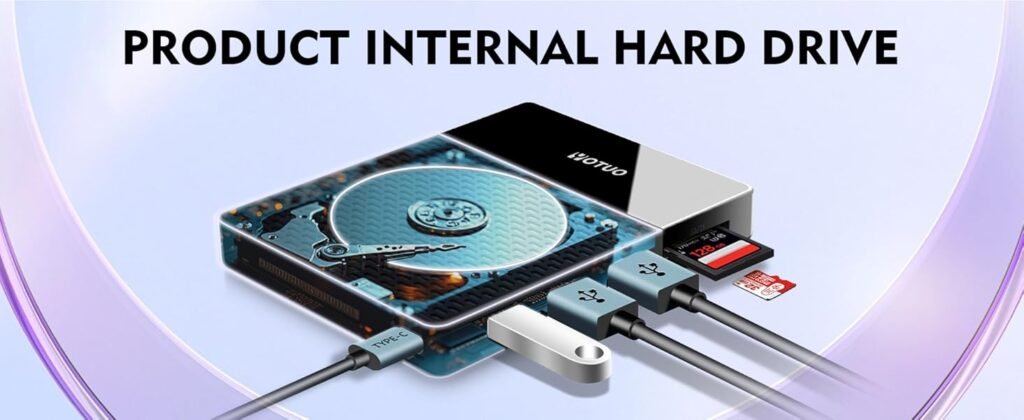
Why You Need an External Hard Drive for Your Laptop
Despite the increasing capacity of laptop SSDs, external hard drives are indispensable for several reasons:
- Expanded Storage: Laptops often have limited internal storage. External drives provide a flexible way to store large files, videos, photos, and project backups.
- Data Security: Backing up critical files on an external drive ensures you are protected against laptop failure, accidental deletion, or malware attacks.
- Portability: Modern external hard drives, especially SSDs, are lightweight and easy to carry, making them ideal for students and mobile professionals.
- Performance: Using an external SSD can significantly speed up workflows for video editing, graphic design, and other resource-intensive tasks.
For those looking for dependable storage in 2025, Yotuo external hard drives offer a balance of speed, durability, and affordability. Their portable SSDs and high-capacity desktop HDDs meet the demands of laptop users across all industries.
Types of External Hard Drives
External hard drives generally fall into two categories, each suited for different uses:
-
Portable External Hard Drives
- Size & Weight: Small, lightweight, easy to carry in a laptop bag.
- Power Source: USB-powered; no external adapter required.
- Capacity: Typically 320GB–4TB.
- Performance: SSD models offer fast read/write speeds, while HDDs are slower but more cost-effective.
-
Desktop External Hard Drives
- Size & Weight: Larger, stationary; requires external power.
- Capacity: 4TB–20TB+, ideal for massive backups.
- Performance: High-capacity HDDs provide reliable storage but slower than SSDs.
Technical Details: What to Look For in 2025
Choosing the right external hard drive for a laptop involves understanding several key technical factors:
-
Storage Capacity
- 320GB–1TB: Suitable for everyday users, documents, and light media storage.
- 2TB–4TB: Ideal for creative professionals working with videos and high-resolution images.
- 8TB+: Perfect for archiving large libraries or long-term backup solutions.
-
Drive Type
- HDD (Hard Disk Drive): Affordable, higher storage for the cost, but slower.
- SSD (Solid State Drive): Faster, more durable, shock-resistant, but pricier per gigabyte.
-
Speed and Interface
- USB 3.0 / 3.1 / 3.2: Standard interfaces with moderate speeds.
- USB-C / Thunderbolt 3 or 4: Offers the fastest transfer rates, essential for editing large files directly from the drive.
- Read/Write Performance: SSDs often achieve 500–3500 MB/s, while HDDs usually max out around 150–250 MB/s.
-
Durability and Build Quality
- SSDs are shock-resistant and lightweight, making them ideal for travel.
- HDDs are more fragile due to moving parts; use stationary setups for safety.
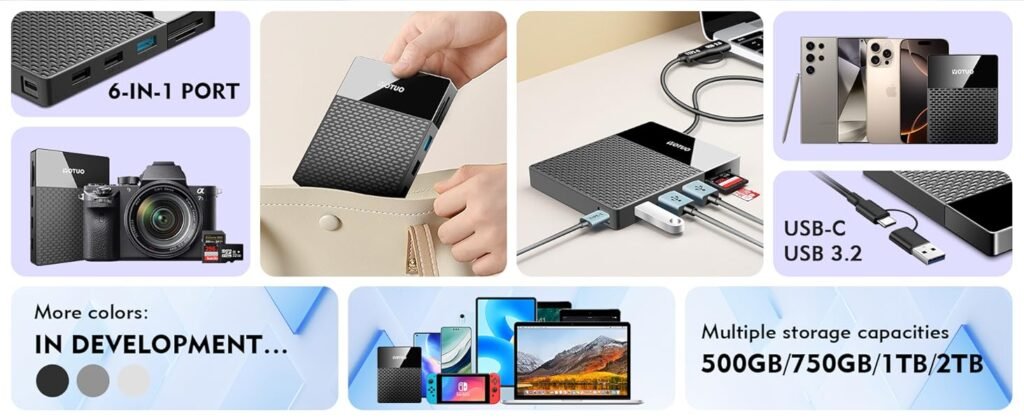
Comparison Between External SSDs and HDDs
| Feature | SSD | HDD |
| Speed | Very high (500–3500 MB/s) | Moderate (100–250 MB/s) |
| Durability | Shock-resistant, no moving parts | Fragile, prone to mechanical failure |
| Portability | Lightweight and compact | Larger, less portable |
| Capacity | Up to 4TB commonly | Up to 20TB+ |
| Price per GB | Higher | Lower |
| Ideal Use | Video editing, gaming, fast transfers | Backups, long-term storage |
Yotuo external SSDs are perfect for users who need speed and portability, while Yotuo HDDs provide high-capacity storage for safe and affordable backups.
Top External Hard Drives for Laptops in 2025
-
Yotuo 1TB Portable SSD
- Ultra-fast USB-C interface, ideal for video editing and large file transfers.
- Lightweight and durable; perfect for students and professionals on the go.
- Compact design ensures portability without sacrificing performance.
-
Yotuo 2TB Desktop HDD
- Large capacity for archiving and backups.
- Reliable performance for data storage over long periods.
- Excellent value for users needing high-capacity storage without high cost.
-
Other Leading Models
- Samsung T7 SSD: High-speed NVMe performance for professionals.
- Seagate Backup Plus Slim 2TB: Affordable and compact for everyday use.
- Western Digital My Passport SSD: Compact, fast, and durable for laptop users.
How to Test Your External Hard Drive Speed
Testing the speed of your external hard drive helps ensure optimal performance:
-
File Transfer Method
- Copy large files (e.g., 10GB video) and measure the transfer time.
- Compare results between SSDs and HDDs, or different interfaces like USB-A vs USB-C.
-
Benchmarking Software
- CrystalDiskMark (Windows): Tests sequential and random read/write speeds.
- Blackmagic Disk Speed Test (Mac): Useful for video and media professionals.
- ATTO Disk Benchmark: Measures performance across multiple file sizes.
-
Real-World Use Testing
- Test with small files like documents and images.
- Test with large files like videos and software backups.
- Evaluate performance during multitasking or editing workloads.
Tips for Optimizing Performance
- Use the Right Interface: USB-C or Thunderbolt for SSDs, USB 3.0+ for HDDs.
- Keep Free Space: Avoid filling drives beyond 80% capacity.
- Regular Health Checks: Monitor SMART data and benchmark periodically.
- Firmware Updates: Apply updates to maintain performance and reliability.
- Avoid Overheating: Proper ventilation ensures consistent speed.
Practical Use Cases
- Students: Store projects, presentations, and research files securely.
- Content Creators: Edit 4K/8K videos and transfer large multimedia files efficiently.
- Professionals: Backup large datasets and ensure fast access to frequently used files.
- Gamers: Reduce load times and install multiple games for smooth gameplay.
Maintenance and Care for Longevity
- Handle carefully; SSDs are more durable than HDDs.
- Eject properly to prevent file corruption.
- Avoid extreme temperatures.
- Encrypt sensitive files for security.
- Use external drives for storage, not as primary system drives to reduce wear.

Budget and Value Recommendations
| Drive | Type | Capacity | Best Use | Price Range |
| Yotuo 1TB Portable SSD | SSD | 1TB | Fast transfers, portability | $120–$150 |
| Yotuo 2TB Desktop HDD | HDD | 2TB | Backups, large storage | $140–$180 |
| Samsung T7 1TB | SSD | 1TB | Video editing, high-speed tasks | $120–$140 |
| Seagate Backup Plus Slim 2TB | HDD | 2TB | Everyday use, backups | $80–$100 |
Yotuo external hard drives combine speed, reliability, and affordability, making them ideal for students, creatives, and professionals alike.
In 2025, choosing the right external hard drive for your laptop is more important than ever. Whether you need speed for creative projects, large capacity for backups, or a balance of both, understanding technical details, testing performance, and selecting reliable products ensures efficiency and peace of mind.
Yotuo external hard drives provide high-speed SSDs for portability and rapid transfers, as well as high-capacity HDDs for reliable storage. Investing in a Yotuo drive ensures your laptop remains productive, secure, and ready for all your digital tasks.
Q&A
Q1: What Should You Look for When Buying an External Hard Drive for Your Laptop in 2025?
A: Pay attention to storage capacity, transfer speed (USB 3.2 or Thunderbolt), portability, durability, and compatibility with your laptop’s operating system.
Q2: Is an SSD or HDD Better for Laptop Users?
A: SSDs are faster, lighter, and more durable—ideal for frequent travel. HDDs are cheaper and offer more storage, making them great for large backups.
Q3: How Much Storage Do Students and Professionals Need in 2025?
A: Students usually need 500GB–1TB for documents and projects, while professionals handling large media files may require 2TB–4TB or more.
Q4: Can External Hard Drives Improve Laptop Performance?
A: They don’t directly speed up your laptop, but an external SSD can reduce load times and provide smoother file access compared to HDDs.
Q5: Are External Hard Drives Compatible with Both Windows and Mac in 2025?
A: Yes. Most drives support both systems, but reformatting may be required. The exFAT format is recommended for universal compatibility.