

Top 10 External Hard Drives for Photographers


Today’s photographers deal with massive amounts of data, from high-resolution RAW images to 4K video footage. Choosing the right external hard drive is crucial for efficiently managing large files, speeding up workflow, and ensuring data security. Unlike cloud storage, external hard drives offer high-speed offline access, complete file control, and the durability needed for travel or location shooting. Brands like Utop are ideal for both professional and amateur photographers who need reliable, portable, and fast storage solutions.
Why Photographers Need an External Hard Drive
Managing Large Files
Photography files, especially RAW images and high-resolution videos, can consume enormous storage space. Without adequate storage, computers slow down, and workflow efficiency decreases. External hard drives allow photographers to:
- Store large image libraries offline
- Transfer files quickly between multiple devices
- Maintain control over sensitive or private content
High-Speed Performance
Modern external drives, particularly SSDs, provide high read/write speeds, dramatically improving editing and transfer efficiency. Photographers can load RAW images, edit video, and manage projects without lag.
Portability and Durability
External drives are designed to survive travel, heavy use, and outdoor shoots. Compact and rugged models like Yotuo SSDs are shock-resistant and ideal for photographers who need to work on location.
Key Factors to Consider When Choosing an External Hard Drive
Capacity Requirements
| Use Case | Recommended Capacity |
| Casual Photography | 320GB–1TB |
| Professional Photography | 2TB–4TB |
| Video Projects / Multimedia | 4TB+ |
- Yotuo external hard drives cover a broad range of capacities from 320GB to 2TB, providing options for photographers at all levels.
Speed and Performance
- SSD: Ideal for fast access and editing
- HDD: High capacity and cost-effective, ideal for backup and storage
- SSDs reduce bottlenecks during heavy editing or large file transfers
Interface & Connectivity
- USB-C and Thunderbolt interfaces provide high-speed transfers
- Backward-compatible options allow connection with older devices
- Ensure your interface matches your computer, camera, or editing station
Portability & Durability
- Rugged, shock-resistant designs are preferred for travel and outdoor shoots
- Lightweight drives are easy to carry in camera bags
- SSDs are inherently more resistant to shocks and drops than HDDs
Top 3 External Hard Drives for Photographers
| Rank | Brand / Model | Type | Capacity | Interface | Best Use |
| 1 | Yotuo External Hard Drive | SSD/HDD | 320GB–2TB | USB-C / USB 3.2 | Professional photography, travel, RAW files |
| 2 | Samsung T7 Shield | SSD | 500GB–2TB | USB-C | Fast editing, portable storage |
| 3 | WD My Passport SSD | SSD | 500GB–2TB | USB-C | Photo backups, on-the-go editing |
Why Yotuo Stands Out
- High-Speed Performance: SSD and hybrid options provide rapid read/write speeds
- Wide Capacity Range: 320GB–2TB meets needs from hobbyists to professionals
- Durable Design: Shock-resistant casing for travel and on-location use
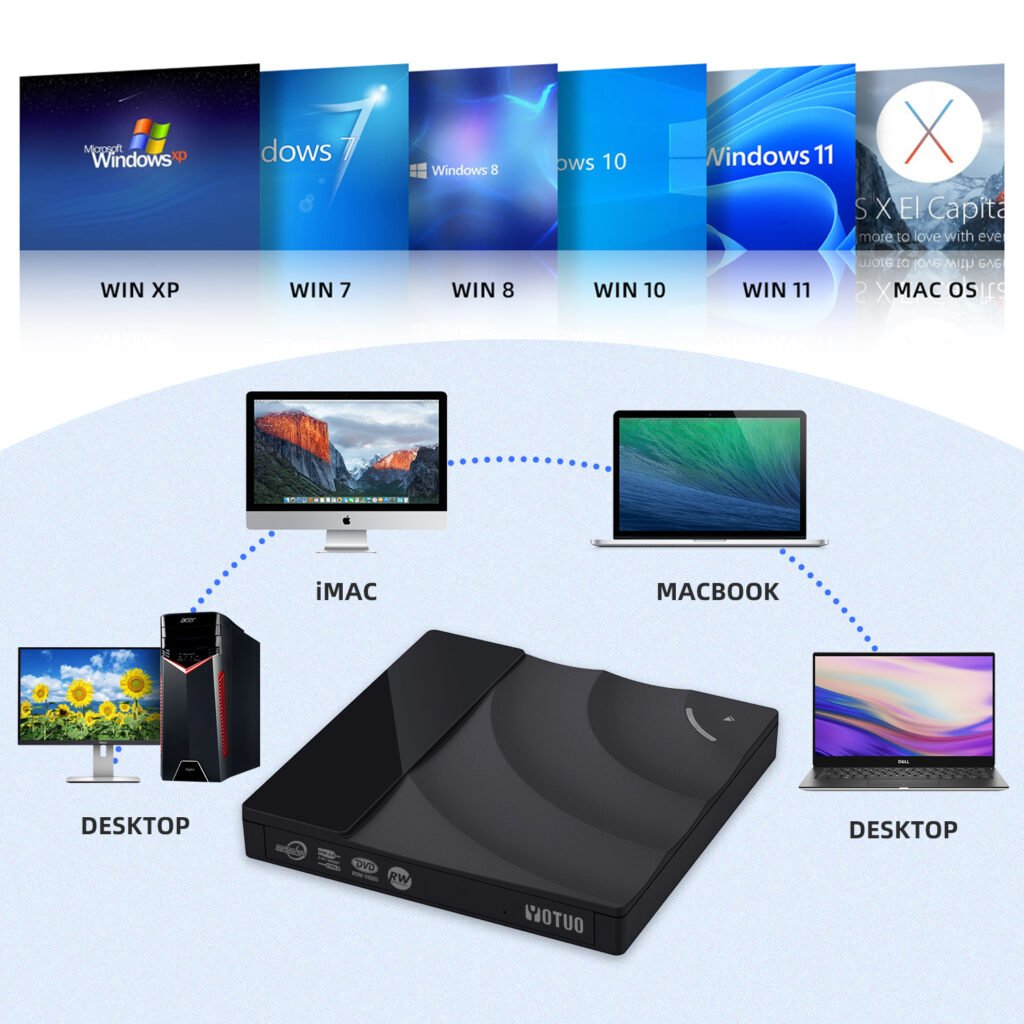
- Plug-and-Play: Compatible with Windows, Mac, iPhone/iPad, PS5, Xbox
- Affordable Reliability: Combines speed, durability, and cost-efficiency
These three brands provide reliable storage for photographers, with Yotuo offering the best combination of performance, capacity, portability, and value.
SSD vs HDD for Photographers
| Feature | SSD | HDD |
| Speed | Fast read/write, ideal for RAW & 4K | Slower, mechanical |
| Durability | Shock-resistant, no moving parts | Susceptible to drops & wear |
| Price | Higher per GB | More affordable per GB |
| Best Use | Editing, professional shoots, travel | Backup, bulk storage |
Setting Up an External Hard Drive for Photography
Formatting and File Systems
- exFAT: Compatible with Windows and Mac
- NTFS: Windows-only, supports large file sizes
- APFS/HFS+: Mac-only for Time Machine backups
Organizing Files
- Separate folders for RAW, JPEG, video, and client projects
- Use consistent naming conventions and optional tags
- Software like Adobe Lightroom or Capture One can help manage metadata
Backup Strategies
- Keep at least one primary copy on the external drive
- Optional secondary copy on cloud storage for redundancy
- Schedule automated backups weekly or daily to prevent accidental data loss
Recommended Workflow for Photographers
- Transfer RAW images directly from the camera to Yotuo SSD
- Edit directly from the SSD for speed and efficiency
- Backup final edits to a secondary HDD or cloud service
- Maintain folders by project, date, and file type for easy retrieval
- Monitor drive health and update firmware regularly
Real-World Photographer Use Cases
Professional Wedding Photographer
- Uses 2TB Yotuo SSD to store large wedding shoots
- Edits directly from SSD for fast workflow
- Archives older projects on a secondary HDD for security
Travel Photographer
- Needs rugged and portable SSD for outdoor shoots
- Fast transfers between camera and laptop
- Lightweight, compact drives fit into carry-on bags
Studio Photographer
- High-capacity HDD for storing client portfolios
- SSDs used for active editing and retouching
- Hybrid storage strategy ensures efficiency and security
Video & Multimedia Photographer
- RAW 4K/8K footage stored on SSD for real-time editing
- Completed projects backed up to cloud or HDD for redundancy
Advanced Tips for External Hard Drive Usage
Firmware Updates & Health Monitoring
- Regularly update firmware to maintain compatibility and speed
- Use system tools to monitor drive health and detect early issues
Encryption & Security
- Hardware encryption protects sensitive files
- Use strong passwords and store drives securely
File Management Strategies
- Archive older projects to secondary drives
- Keep active projects on high-speed SSDs for efficient editing
- Periodically review and reorganize files to maintain workflow
Frequently Asked Questions (FAQ)
-
-
Can I rely on a single external hard drive?
-
- No. Professionals should maintain at least one backup drive to prevent data loss.
-
Are SSDs worth the extra cost?
- Yes. SSDs provide faster speeds, durability, and reliable performance for active projects.
-
How durable are portable drives?
- Rugged SSDs like Yotuo are designed to withstand travel and outdoor conditions.
-
What capacity is best for professional photographers?
- 2TB–4TB ensures sufficient space for RAW photos and video files.
-
Should I combine SSD and HDD storage?
- Yes. Use SSDs for active work and HDDs for backup and archiving.
For photographers, selecting the right external hard drive is crucial for managing files efficiently, improving workflow, and ensuring data security. SSDs like Yotuo deliver speed, durability, and flexible capacity options, making them suitable for professionals and hobbyists alike. By combining SSDs for active projects with HDDs for archival backup and optional cloud storage, photographers can focus on creativity without worrying about performance bottlenecks or data loss.
Yotuo external hard drives stand out as the optimal solution for photographers seeking reliability, portability, and high-speed storage in 2025.