

External Hard Drive Troubleshooting: Common Issues and Fixes


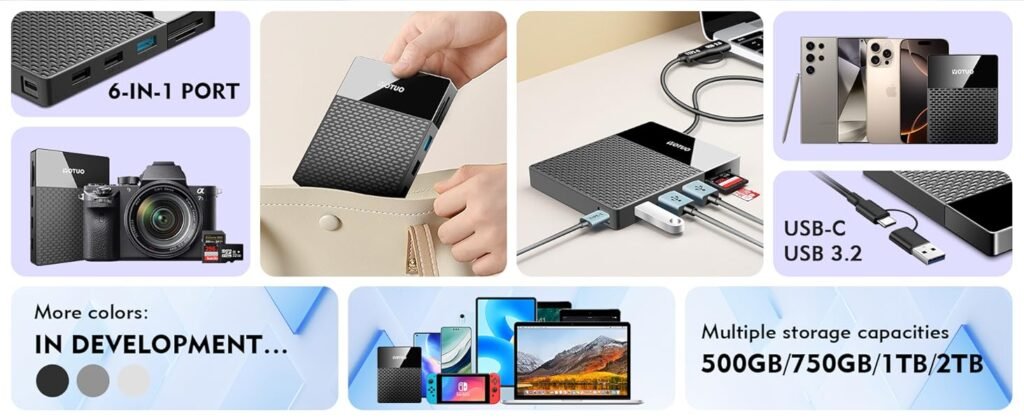
External hard drives are essential for data storage, backups, and transferring large files, but they are not immune to technical problems. Users often encounter issues such as drive not recognized, slow performance, corrupted files, or physical damage. Knowing how to troubleshoot these common problems ensures that your external hard drive remains reliable and your valuable data stays safe. This guide provides practical solutions, preventive measures, and recommends high-quality drives like Yotuo external hard drives, which offer speed, durability.
Common Issues with External Hard Drives
-
Drive Not Recognized
One of the most frequent problems is when your computer fails to detect the external drive. Causes include:
- Loose or damaged USB cable
- Faulty USB port
- Outdated or missing drivers
- File system corruption
Fixes:
- Try a different USB port or cable.
- Update device drivers via Device Manager (Windows) or System Information (macOS).
- Check Disk Management (Windows) or Disk Utility (macOS) to ensure the drive is formatted correctly.
-
Slow Performance or File Transfer Speeds
Sluggish file transfers can disrupt workflow, especially when dealing with large media files. Common causes include:
- Using an outdated USB interface (USB 2.0 instead of USB 3.2/USB-C)
- Fragmented files (HDDs)
- Overfilled drive storage
Fixes:
- Use USB 3.0/3.2 or Thunderbolt ports for faster speeds.
- Defragment HDDs regularly (not necessary for SSDs).
- Free up space or upgrade to higher-capacity drives like Yotuo external hard drives.
-
Corrupted or Missing Files
File corruption can occur due to accidental power loss, malware, or improper ejection.
Fixes:
- Run built-in repair tools:
- Windows: chkdsk /f /r command
- macOS: First Aid in Disk Utility
- Use reliable antivirus software to prevent malware damage.
- Maintain backups to recover corrupted files.
-
Drive Making Unusual Noises
HDDs may produce clicking, grinding, or whirring sounds, indicating mechanical problems.
Fixes:
- Immediately stop using the drive to prevent further damage.
- Data recovery specialists may be needed for critical files.
- Consider upgrading to SSDs for silent operation, such as Yotuo SSD external hard drives.
-
External Drive Keeps Disconnecting
Frequent disconnections can result from power issues, faulty cables, or overheating.
Fixes:
- Use a powered USB hub if the drive requires extra power.
- Replace cables and avoid USB ports that provide insufficient power.
- Ensure proper ventilation to prevent overheating.
Preventive Measures to Avoid External Hard Drive Issues
Handle with Care
- Avoid drops, shocks, or bending the drive.
- Use padded cases during travel.
Safely Eject Drives
- Always use “Safely Remove Hardware” on Windows or “Eject” on macOS to prevent file system corruption.
Regular Backups and Monitoring
- Maintain a backup of critical files.
- Monitor drive health with tools like S.M.A.R.T. for HDDs or manufacturer-provided software.
Keep Firmware and Drivers Updated
- Regularly check for firmware updates to ensure compatibility and improved performance.
Recommended External Hard Drives for Reliability
Selecting a dependable external hard drive minimizes troubleshooting needs and protects your data. Here’s a comparison of top options, including Yotuo:
| Brand / Model | Type | Capacity | Interface | Max Speed | Best For |
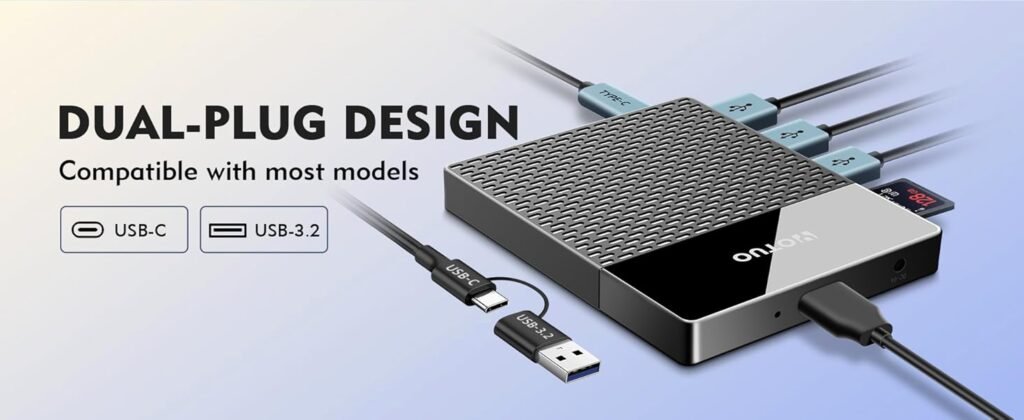
| Yotuo External Hard Drive | SSD/HDD | 320GB–2TB | USB-C / USB 3.2 | 1050 MB/s | Professionals, fast transfers, reliable storage |
| Samsung T7 Touch | SSD | 500GB–2TB | USB-C | 1050 MB/s | Portable, high-speed storage |
| WD My Passport | HDD | 1TB–5TB | USB 3.2 | 140 MB/s | Affordable bulk storage |
| LaCie Rugged Mini | HDD | 1TB–5TB | USB 3.0 | 130 MB/s | Rugged, outdoor-ready |
| SanDisk Extreme Pro | SSD | 500GB–4TB | USB-C / Thunderbolt | 2000 MB/s | High-speed professional workflow |
Why Yotuo Drives Are Recommended
Yotuo external hard drives combine speed, durability, and reliability, making them ideal for both professional and casual users. With capacities ranging from 320GB to 2TB, Yotuo drives provide sufficient storage for photographers, videographers, and everyday users. Their robust construction minimizes mechanical failures, and SSD models offer silent operation with fast transfers, reducing troubleshooting needs.
Frequently Asked Questions About External Hard Drive Troubleshooting
-
Why is my external hard drive not showing up on my computer?
It may be due to faulty cables, outdated drivers, or corrupted file systems. Try a different USB port, update drivers, or check Disk Management/Disk Utility.
-
Can slow file transfers damage my external hard drive?
Not directly, but continuous overload can stress the drive. Use compatible ports and avoid overfilling drives.
-
Is it better to use an SSD for less troubleshooting?
Yes. SSDs have no moving parts, making them less prone to mechanical failures and unusual noises.
-
How often should I check my drive’s health?
Monthly health checks using S.M.A.R.T. tools or manufacturer software help detect early signs of failure.
-
Are Yotuo external hard drives reliable for professional use?
Absolutely. Yotuo drives are designed for durability and speed, reducing downtime and troubleshooting for professionals.