

External Hard Drive vs Cloud Storage: Which One Is Better?

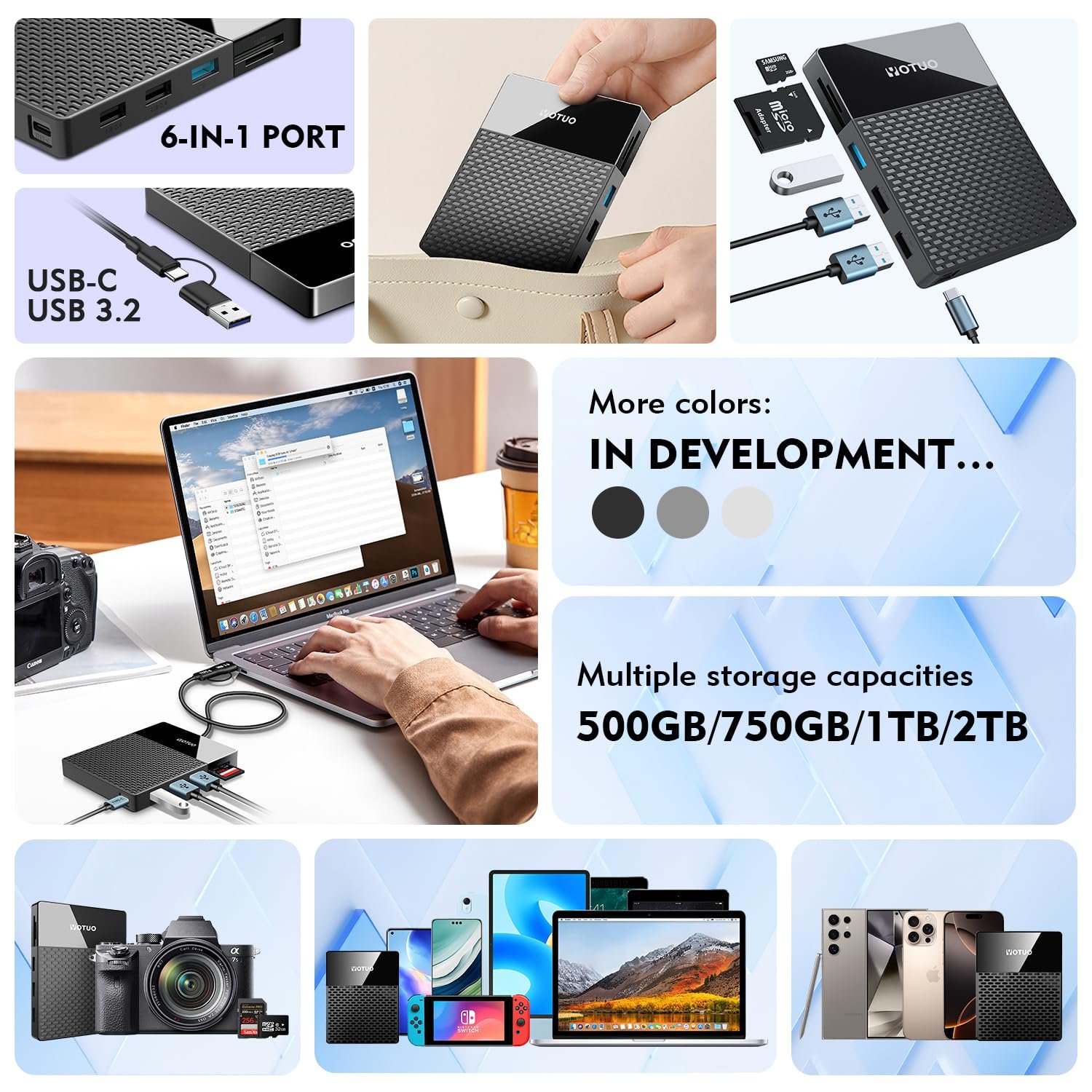
In today’s digital age, the question of where to store your files—be it photos, videos, work documents, or creative projects—is more important than ever. When it comes to storage, two options dominate the conversation: external hard drives and cloud storage. Each has its advantages, and choosing the right solution depends on your unique needs, budget, and workflow. External hard drives provide fast access, offline reliability, and one-time purchase convenience, while cloud storage offers remote accessibility, automated syncing, and collaboration capabilities.
In this comprehensive guide, we’ll explore everything from technical differences, performance metrics, and cost analysis to practical recommendations and maintenance tips. We’ll also highlight some of the best external hard drives from Yotuo, a brand known for durability, speed, and reliability.
Why Choosing the Right Storage Solution Matters
Selecting the right storage option is more than just convenience—it impacts productivity, cost, and data security. Poor storage decisions can lead to:
- Data Loss: Hardware failure or accidental deletion can wipe out important files.
- Reduced Productivity: Slow access or syncing delays can disrupt work.
- Higher Long-Term Costs: Subscriptions for large cloud storage can become expensive over time.
- Security Risks: Storing sensitive data in the cloud without proper safeguards can be risky.
Choosing wisely ensures your data is safe, accessible, and cost-effective.
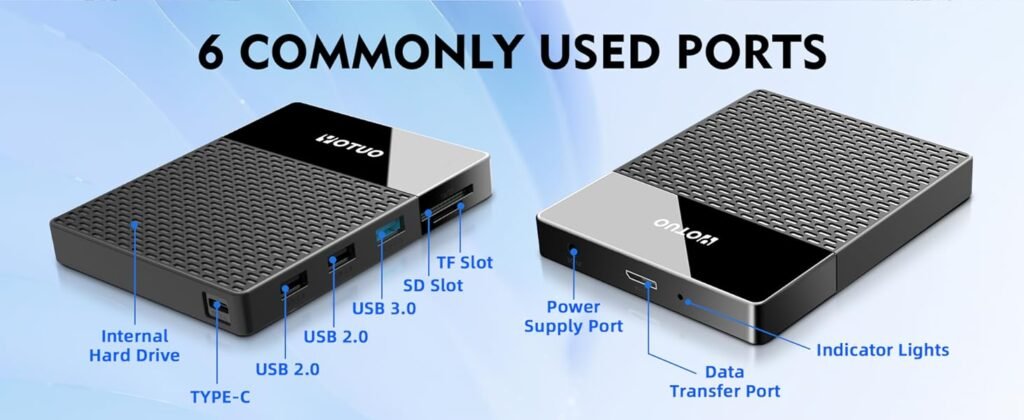
Understanding External Hard Drives
What is an External Hard Drive?
An external hard drive is a portable or desktop storage device connected via USB, USB-C, Thunderbolt, or other interfaces. It allows you to store large amounts of data locally and access it offline. External drives come in two main types:
- Portable External Hard Drives: Small, lightweight, and powered through USB, ideal for students, travelers, and remote workers.
- Desktop External Hard Drives: Larger, externally powered, high-capacity drives suited for home offices, professional work, and archival storage.
Advantages of External Hard Drives
- High-Speed Access: Local read/write speeds are faster than uploading and downloading from the cloud.
- One-Time Purchase: No recurring fees; just buy once and use for years.
- Offline Availability: Access your data anywhere without internet.
- Security: Data is stored physically under your control, reducing exposure to online threats.
For dependable external storage, Yotuo external hard drives offer both portable and desktop options. They are durable, fast, and secure—perfect for everyday use or professional needs. Check them out at yotuo-us.com.
Understanding Cloud Storage
Cloud storage involves storing files on remote servers maintained by providers like Google Drive, Dropbox, OneDrive, or iCloud. These services allow access to your files from any device with internet connectivity.
Advantages of Cloud Storage
- Accessibility: Access files anywhere in the world.
- Automatic Backup: Many services provide auto-syncing and version control.
- Scalability: Easily expand storage as your needs grow.
- Collaboration: Share files with team members and work simultaneously.
Limitations
- Recurring Costs: Paid plans are required for large storage needs.
- Internet Dependency: Access is limited without a stable internet connection.
- Security Risks: Files are stored on third-party servers, potentially vulnerable to breaches.
- Upload/Download Speeds: Large files may take a long time to sync.

External Hard Drive vs Cloud Storage: Key Comparisons
| Feature | External Hard Drive | Cloud Storage |
| Access Speed | Very fast (USB, Thunderbolt) | Dependent on internet speed |
| Cost | One-time purchase | Monthly/annual subscription |
| Portability | Portable drives available | Accessible anywhere with internet |
| Security | Full control over data | Provider dependent, potential risk |
| Backup Options | Manual or automated | Automatic syncing and redundancy |
| Capacity | Fixed, device-limited | Virtually unlimited (paid tiers) |
| Offline Availability | Full access | Limited or none |
| Collaboration | Not ideal for real-time collaboration | Excellent for multiple users |
When an External Hard Drive Is the Better Choice
External hard drives shine in these scenarios:
- Handling Large Media Files: Video editors, photographers, and graphic designers require fast access to massive files.
- Working Offline: Students, travelers, and remote workers often need reliable offline access.
- Long-Term Backup: Archiving personal photos, videos, or documents.
- Cost Efficiency: One-time purchase often beats long-term cloud subscriptions.
Recommended Yotuo External Hard Drives
- Yotuo 1TB Portable SSD: Fast, compact, shock-resistant, ideal for travel and daily work.
- Yotuo 4TB Desktop HDD: High capacity, stable, perfect for home or office backups.
- Yotuo 2TB Portable SSD: Reliable and high-speed for professionals on the move.
Visit yotuo-us.com to explore the full range. Yotuo drives combine speed, security, and durability.
When Cloud Storage Is the Better Choice
Cloud storage excels in:
- Collaboration: Teams working on shared projects benefit from real-time syncing.
- Multi-Device Access: Seamless file access across computers, tablets, and smartphones.
- Automated Backup: Minimal effort needed to keep files safe, with version history.
- Scalable Storage: Effortlessly increase storage as your digital needs grow.
Hybrid Approach: Best of Both Worlds
For many users, combining external hard drives and cloud storage provides the ultimate solution:
- External Hard Drive for Fast Access & Offline Work: Store large files locally for speed and security.
- Cloud Storage for Remote Access & Collaboration: Sync important files for convenience and redundancy.
Example Workflow:
- Store active projects on a Yotuo Portable SSD for speed and mobility.
- Backup completed projects to a Yotuo Desktop HDD.
- Sync essential files to cloud storage for team collaboration and offsite protection.
Technical Considerations
- Read/Write Speeds: External SSDs using USB-C or Thunderbolt outperform cloud uploads for large files.
- Capacity Planning: Desktop HDDs are cost-effective for terabytes of data; cloud storage can become expensive.
- Security Needs: Sensitive data may be safer on encrypted local drives.
- Redundancy: Cloud storage adds offsite redundancy, protecting against local disasters.
Cost Analysis
| Option | Initial Cost | Recurring Cost | Notes |
| External Hard Drive | $50–$500 | None | One-time investment, long-term value |
| Cloud Storage | Free (limited) | $10–$50/month | Costs accumulate over time, scalable storage |
Over five years, investing in a Yotuo external hard drive is often more economical than paying for large cloud storage subscriptions.
Data Security and Privacy
- External Hard Drives: Full control; encryption protects sensitive data.
- Cloud Storage: Dependent on provider security; enable two-factor authentication and encryption.
Tip: Even with cloud storage, having a local backup on an external hard drive ensures data protection.
Maintenance and Care for External Drives
While cloud storage doesn’t require physical maintenance, external drives do. Tips include:
- Keep the drive cool and dry.
- Avoid dropping or jarring portable drives.
- Use proper cables and safely eject drives.
- Check for file system errors and update firmware.
- Encrypt sensitive data for added security.
Practical Use Cases
- Students: Portable SSD for assignments and notes, cloud for collaborative projects.
- Photographers & Videographers: Desktop HDD for archives, portable SSD for current shoots.
- Remote Workers: Portable SSD for offline work, cloud storage for team collaboration.
- Enterprises: Hybrid approach for backups, file sharing, and disaster recovery.
Common Problems and Troubleshooting
| Problem | Cause | Solution |
| Drive not recognized | Loose cable, driver issues | Reconnect, try another port, update drivers |
| Slow performance | Nearly full, fragmented files | Free up space, defrag HDD |
| Corrupted files | Unsafe ejection | Use recovery software, safely eject next time |
| Overheating | Poor ventilation | Move to cooler area, use cooling pad |
| SMART errors | Imminent failure | Backup immediately, consider replacement |
FAQ
Q1: Can I rely solely on cloud storage?
A: For casual use, yes. For large files or offline needs, a hybrid approach works best.
Q2: How do I protect my data on an external drive?
A: Encrypt sensitive files and back up regularly. Yotuo drives are reliable and secure.
Q3: Which is faster for large files?
A: External SSDs are generally much faster than cloud uploads, especially for terabytes of data.
Q4: Is combining external drives and cloud storage safe?
A: Absolutely. It provides redundancy, speed, and accessibility.
So, which is better: external hard drives or cloud storage? The truth is: it depends. External drives offer speed, security, and cost-effective storage for large files and offline use. Cloud storage provides convenience, remote access, and collaboration. Many users find a hybrid approach—using both external drives and cloud storage—provides the best combination of reliability, speed, and accessibility.
For anyone seeking high-quality external storage, Yotuo external hard drives deliver reliable, fast, and durable solutions—from portable SSDs to desktop HDDs—making them an excellent choice for protecting your digital life.